
:Tags: esx qbcore qbox {ESCROW}
Video Demonstration (click me)
Simple Configuration: Easily add new stores or edit existing ones in the configuration file. Adjust product details, prices, and images to match your server's economy. The script offers high configurability, with well-explained values that can be effortlessly modified.
Easy Installation: Setting up on your server is a breeze. Just place it in the resources folder and start it.
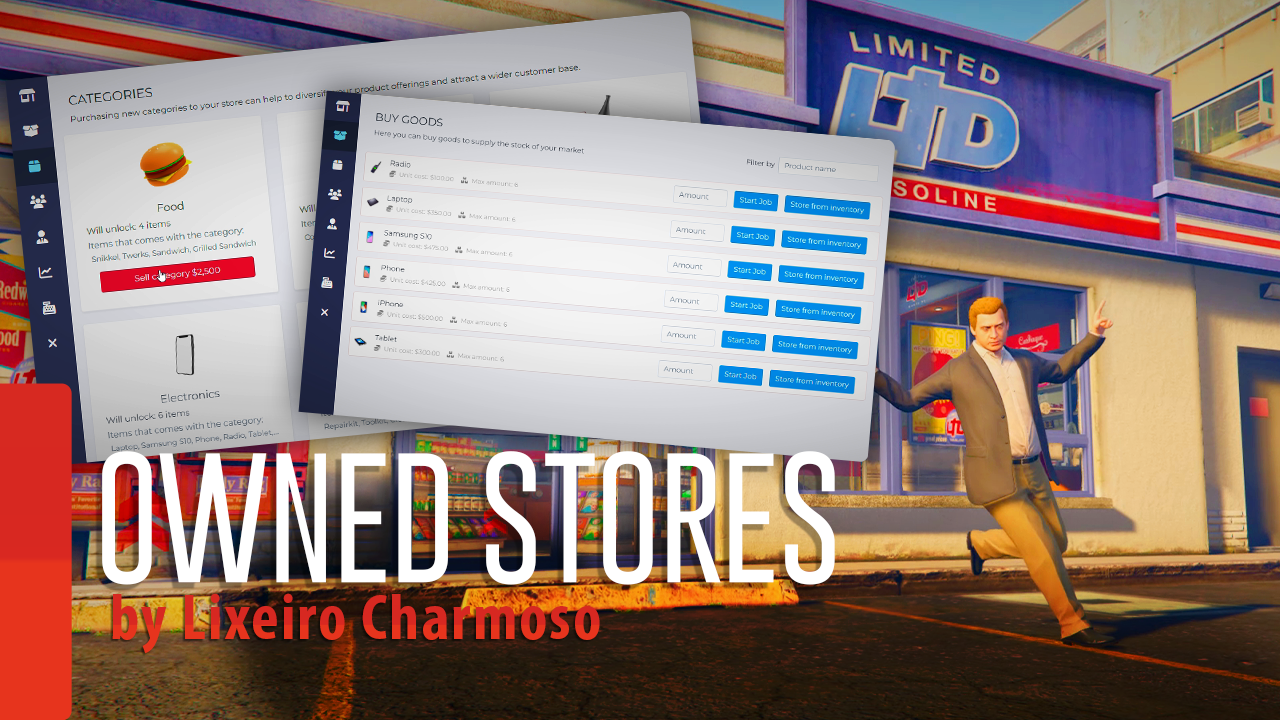
Diverse Stores: Each city store can have a different owner, opening up limitless opportunities for buyable locations. Store owners can import products to keep their stock updated or directly add products from their inventory.
Statistics: Access comprehensive data about your store, customize shop names and icons.
Product Categories: Create unique purchasable categories for each store. Each category represents a separate page, allowing better organization with multiple pages.
Upgrades: Purchase various upgrades for your store to maximize profits.
Hire Real Players: Employ real players as delivery personnel to work for your store. They will supply products for you to sell. Store owners can set the salary for each job.
Integration with Trucker Simulator: Recruit truckers to handle deliveries through the Trucker UI.
Cash Flow: Track all expenses and revenue generated by the store.
Optimization: The script is well-optimized and free of bugs. It has been successfully running on servers worldwide.
Regular Updates: We regularly implement updates based on community feedback and suggestions.
Feel free to contact us if you have any installation issue or if you need anything else, i'll happily assist you
Quality is our priority. Before any release, we rigorously test our scripts to ensure they are bug-free and ready for action. You can rest assured that when you use our products.
Easy to install, clear configuration files and Plug’n play compatibility with ESX, QBCore and Qbox frameworks.
Your satisfaction is essential to us. If you encounter any issues or have questions regarding our scripts, don't hesitate to reach out. We'll happily assist you on our Discord.